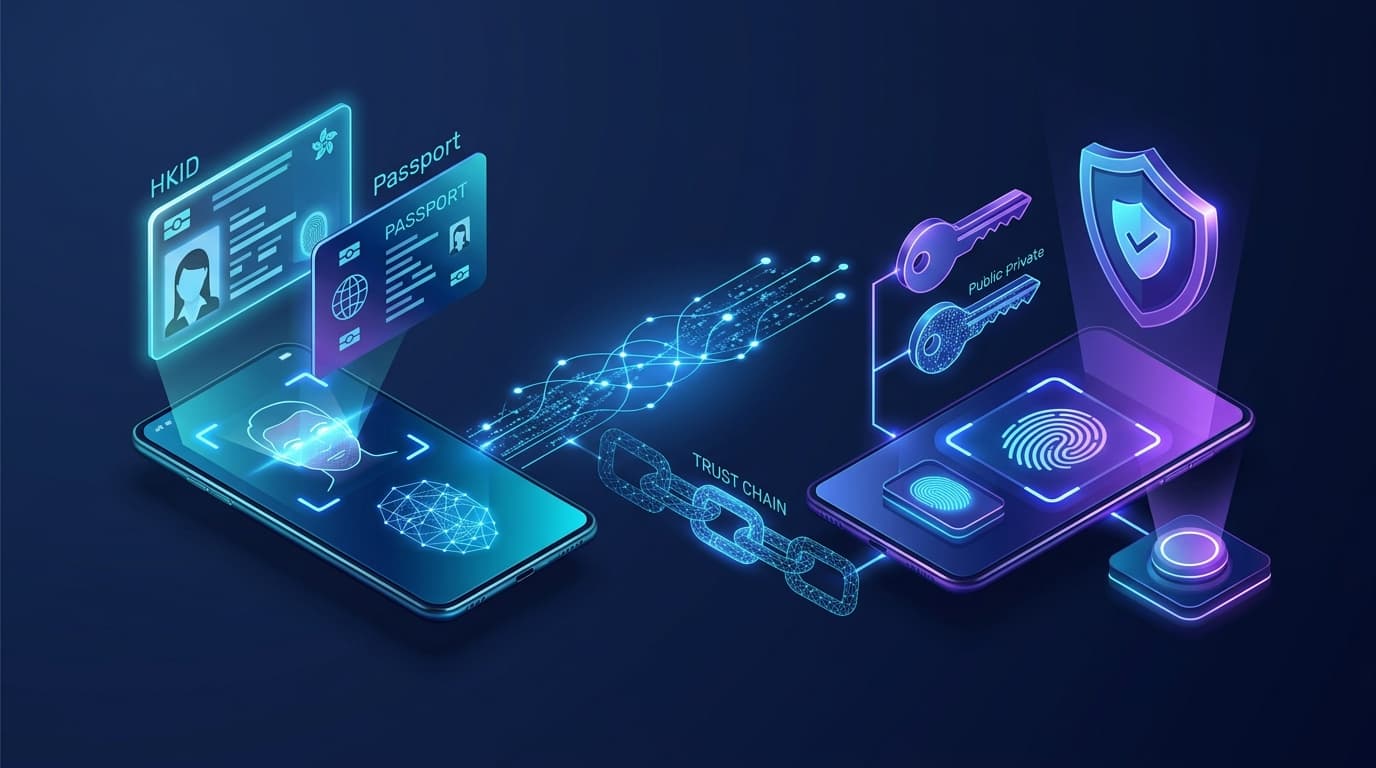
Primarily used to establish and verify a user's true legal identity. Answers the core question: "Is this person truly who they claim to be?"
Primarily used to confirm whether the login initiator possesses the registered device and cryptographic credentials. Answers: "Is the person logging in the authorized account owner?"
💡 Core Takeaway: Rather than competing technologies, eKYC and Passkeys complement each other. eKYC establishes the trusted identity foundation, while Passkey empowers frictionless daily access and sensitive transaction protection.
1. What is eKYC?
eKYC (Electronic Know Your Customer) refers to the digital, remote verification of a customer's identity. It replaces traditional in-person branch visits and physical paperwork with fully automated, online procedures.
Standard 7-Step eKYC Workflow:
🎯 The Core Question of eKYC:
"Is this individual truly who they claim to be?"
Primary Use Cases for eKYC:
- Remote opening of virtual bank or e-wallet accounts
- Online loan, insurance, or investment applications
- Telecom real-name SIM card registration
- Corporate onboarding (KYB) and Ultimate Beneficial Owner (UBO) checks
- Anti-Money Laundering (AML) & Customer Due Diligence (CDD)
- High-risk transaction approval & critical account profile updates
2. What is a Passkey?
A Passkey is a modern cryptographic passwordless authentication method built on the FIDO2 / WebAuthn standard. Users log into applications seamlessly using their device's built-in biometrics (Touch ID, Face ID) or device PIN code, eliminating traditional shared passwords.
The Asymmetric Cryptography Behind Passkeys:
Safely preserved in the user's local hardware security enclave or encrypted keychain. It is never transmitted to servers or third parties.
Stored on the service provider's server during registration, used exclusively to verify the cryptographic signature returned by the user's device.
🔒 Mechanism: During login, the server issues a random cryptographic challenge. The user's device signs it with the private key. Biometric sensors only unlock the local private key; biometric data never leaves the hardware.
🎯 The Core Question of Passkey:
"Does the person logging in possess the originally registered device and credentials?"
Key Advantages of Passkeys:
- No complex passwords to remember or type
- Origin-bound cryptographic protection eliminates phishing
- Zero server-side credential leaks (no shared secret)
- Instant biometric verification with 1-click UX
- Replaces insecure and vulnerable SMS OTPs
3. Fundamental Differences Between eKYC and Passkey
While both technologies frequently leverage biometric sensors (face or fingerprint), they serve entirely different layers of the security trust model:
| Comparison Dimension | eKYC (Identity Verification) | Passkey (Authentication) |
|---|---|---|
| Primary Objective | Verify legal identity & prevent identity theft at onboarding | Authenticate access to an existing account via registered credentials |
| Typical Trigger Time | Account opening, initial registration, high-tier permission upgrades | Daily logins, transaction authorizations, checkout confirmation |
| Technical Foundation | Official ID documents, facial recognition, liveness detection, AML databases | Asymmetric public-key cryptography & local device hardware unlock |
| Core Question Answered | "Who are you?" | "Are you really the one logging in?" |
| ID Document Required? | Mandatory (HKID, Passport, Driver License) | Not required (pure cryptographic key exchange) |
| Biometric Role | Verifies live person matches government ID photo | Locally unlocks private key (can fall back to device PIN) |
| Mutual Substitutability | Cannot replace frequent daily Passkey logins | Cannot replace regulatory initial eKYC identity vetting |
A Intuitive Real-World Analogy:
eKYC is like visiting a bank for the first time, presenting your government ID card and letting the banker verify your physical appearance and credentials.
Passkey is like returning to the bank vault later and unlocking your personal safety deposit box using a digital key that only you possess.
4. How eKYC and Passkey Work Together in Harmony
In modern fintech architectures, the two solutions coordinate across the user's complete lifecycle journey:
Stage 1: Establishing Trusted Identity Foundation (Identity Onboarding)
When a user first registers, the system conducts document scanning, OCR, facial verification, and liveness testing to establish verified legal identity.
Stage 2: Passkey Credential Registration (Credential Enrollment)
Once eKYC is approved, the platform prompts the user to register a Passkey on their trusted smartphone or computer, binding the cryptographic credential to the verified account.
Stage 3: Seamless Daily Logins (Frictionless Daily Auth)
For everyday access, users no longer need to upload IDs or record live selfies. A simple Face ID or fingerprint scan authenticates the session in seconds.
Stage 4: High-Risk Step-Up Verification (Step-Up Re-verification)
If the user loses their device, changes sensitive contact info, triggers behavioral anomaly alerts, or executes large fund transfers, the platform dynamically triggers eKYC re-verification to prevent account takeover.
5. Why Relying on Only One Is Insufficient
The Pitfall of eKYC-Only
eKYC is rigorous but friction-heavy. Requiring users to scan IDs and record live selfies for every login or routine transfer causes massive user churn and increases unnecessary privacy risk for server-side biometric storage.
The Pitfall of Passkey-Only
Passkey proves device possession, but cannot identify who the person actually is. Without onboarding eKYC, fraudsters can open accounts under synthetic identities and bind Passkeys, violating AML/KYC regulations.
6. The 4 Major Security & Business Benefits
eKYC's chip reading, OCR, and AI liveness block fake IDs and Deepfakes at onboarding, while Passkeys eliminate credential stuffing and password theft.
Passkeys are cryptographically bound to specific website domains (origin-bound), rendering fake phishing sites completely incapable of intercepting credentials.
Fast 1-2 minute eKYC onboarding followed by 2-second Face ID logins, slashing drop-off rates and accelerating customer conversion.
Adjusts security dynamically: routine logins use Passkeys, while suspicious activity or high-value transfers escalate to biometric eKYC step-up challenges.
7. Real-World Scenario: Digital Bank Onboarding and Daily Login
Complete Customer Journey in a Virtual Banking or Licensed Moneylender App
8. 5 Key Considerations for Enterprise Deployment
1. Do Not Confuse Device Authentication with Identity Verification
Possessing a Passkey proves device ownership, but does not substitute regulatory CDD or AML customer vetting.
2. Design Robust & Secure Account Recovery Flows
When users lose registered devices, recovery must balance security and usability. Combining eKYC with automated risk rules is the industry standard.
3. Protect Personal Data & Ensure Compliance (PDPO / GDPR)
eKYC documents must be encrypted at rest and in transit. Transparently explain that Passkey biometrics remain strictly on-device.
4. Support Cross-Platform and Enterprise Shared Devices
Passkeys sync across Apple, Google, and Windows ecosystems, but systems must also support cross-device QR code authentication.
5. Avoid Weak Fallback Authentication Channels
Alternative login fallbacks should not regress to vulnerable SMS OTPs without strict limits and anomaly monitoring.
9. 4 Common Industry Misconceptions
Fact: Biometrics merely unlock the local private key. The technological foundation of Passkeys is asymmetric public-key cryptography.
Fact: eKYC verifies identity at onboarding. Weak passwords can still lead to subsequent account takeovers without Passkeys.
Fact: No single tool is invincible. Platforms must still guard against social engineering, malware, and account recovery flaws.
Fact: They are purely complementary. eKYC establishes trusted identity; Passkey enforces ongoing secure access.
10. Conclusion: Building an End-to-End Digital Identity Defense
In the digital era, cybersecurity is never one-dimensional. eKYC, Passkeys, and Risk Engines together form the three pillars of digital identity:
Establishes legal identity foundation
Provides instant passwordless access
Real-time fraud intervention
For enterprises, the winning strategy combines both: leveraging eKYC to fortify onboarding trust and Passkeys to deliver unparalleled daily user experiences while balancing security, convenience, privacy compliance, and account recoverability.
Related Fintech & Identity Solutions
eKYC Smart Identity Verification
Combining NFC chip reading, liveness anti-spoofing, and multi-layered document validation.
iAM Smart System Integration
Seamless connection to HK Government's iAM Smart platform for fast onboarding and legal digital signing.
Related Reading: Identity Security & Passkeys
Curated fintech, regulatory guides, and industry insights
Claude Introduces eKYC: Use Cases and Future Trends in AI Identity Verification
In-depth analysis of Anthropic's Claude introducing eKYC identity verification. Explore architectural design, 4 core use cases, and 6 future industry predictions.
Understanding the All-New Passkey User Experience
Say goodbye to complex passwords and SMS OTPs! Explore the 4 frictionless scenarios and security principles of Passkeys from sign-up to cross-device login.
When AI Can Fake Your Face: How eKYC Defends Against Deepfake Identity Fraud
In-depth analysis of Generative AI, real-time Deepfakes, and Digital Injection attacks on remote eKYC onboarding and multi-layered defense.